May 8, 2026 · 9 min read
Link in Bio for Artists: Portfolio, Shop, and Commission Setup
A practical 2026 guide to building a link in bio for artists. Learn what to include, how to structure your portfolio, and how to turn profile visits into shop clicks, fans, and commission inquiries.
A strong link in bio for artists does more than collect URLs. It helps a new follower understand your work, browse your best pieces, buy something, and contact you without digging through captions or old story highlights.
Think of it as the front desk for your creative practice. Your Instagram grid shows the work. Your artist bio link should show people what to do next.
What an artist link in bio should include
Most artists need five sections, in this order:
- Featured work - the piece, release, print, or project you most want people to notice right now.
- Shop links - prints, originals, merch, music, digital downloads, sample packs, or product recommendations.
- Commission or booking info - price range, availability, turnaround time, and a clear inquiry path.
- Portfolio and platform links - Behance, ArtStation, Bandcamp, Spotify, YouTube, gallery site, or press.
- Off-platform follow - newsletter, Patreon, Ko-fi, Discord, or any place you can reach fans again.
If your current page is only a list of social links, it is probably helping people leave more than it is helping them buy, listen, or inquire.
Why visual cards work better than plain buttons
Artists sell through recognition. A follower taps because they remember a painting, album cover, tattoo flash sheet, print drop, or video. A plain button that says "Shop" forces them to guess. A visual card with the exact image confirms they are in the right place.
Use product or project cards for:
- New prints or originals.
- Commission examples.
- Latest songs, videos, or releases.
- Merch or limited drops.
- Portfolio highlights.
Keep each card simple: image, short title, one-line context, and one destination.
Bio link templates by artist type
Illustrator link in bio setup
- Top card: newest illustration, print drop, or commissioned cover.
- Category 1: prints and originals.
- Category 2: commissions open, with pricing range.
- Category 3: portfolio links like Behance, ArtStation, or personal site.
- Footer: newsletter, Instagram, TikTok, Pinterest.
Musician link in bio setup
- Top card: latest release with cover art.
- Category 1: listen on Spotify, Apple Music, Bandcamp, YouTube.
- Category 2: merch, vinyl, sample packs, or tickets.
- Category 3: fan community, newsletter, Patreon, or Discord.
- Footer: press kit, booking email, social links.
Painter or fine artist link in bio setup
- Top card: current series, exhibition, or available work.
- Category 1: available paintings and prints.
- Category 2: exhibition history, press, or gallery representation.
- Category 3: commission or collector inquiry.
- Footer: mailing list and social links.
Digital artist link in bio setup
- Top card: featured drop, animation, or digital product.
- Category 1: commissions, marketplace links, or downloads.
- Category 2: tutorials, brushes, presets, or paid resources.
- Category 3: community links and portfolio platforms.
- Footer: X, Farcaster, YouTube, newsletter, or Discord.
How to make your commission link easier to trust
"DM me for commissions" is easy to post, but it creates friction. People do not know your price range, process, or whether their request is realistic.
Your commission section should answer four questions before someone messages you:
- What styles or formats do you accept?
- What is the starting price or price range?
- How long does it usually take?
- What is the next step to inquire?
You do not need a complex form. A simple page, PDF, or email link can work if the path is obvious.
Building an artist bio link with Lunera
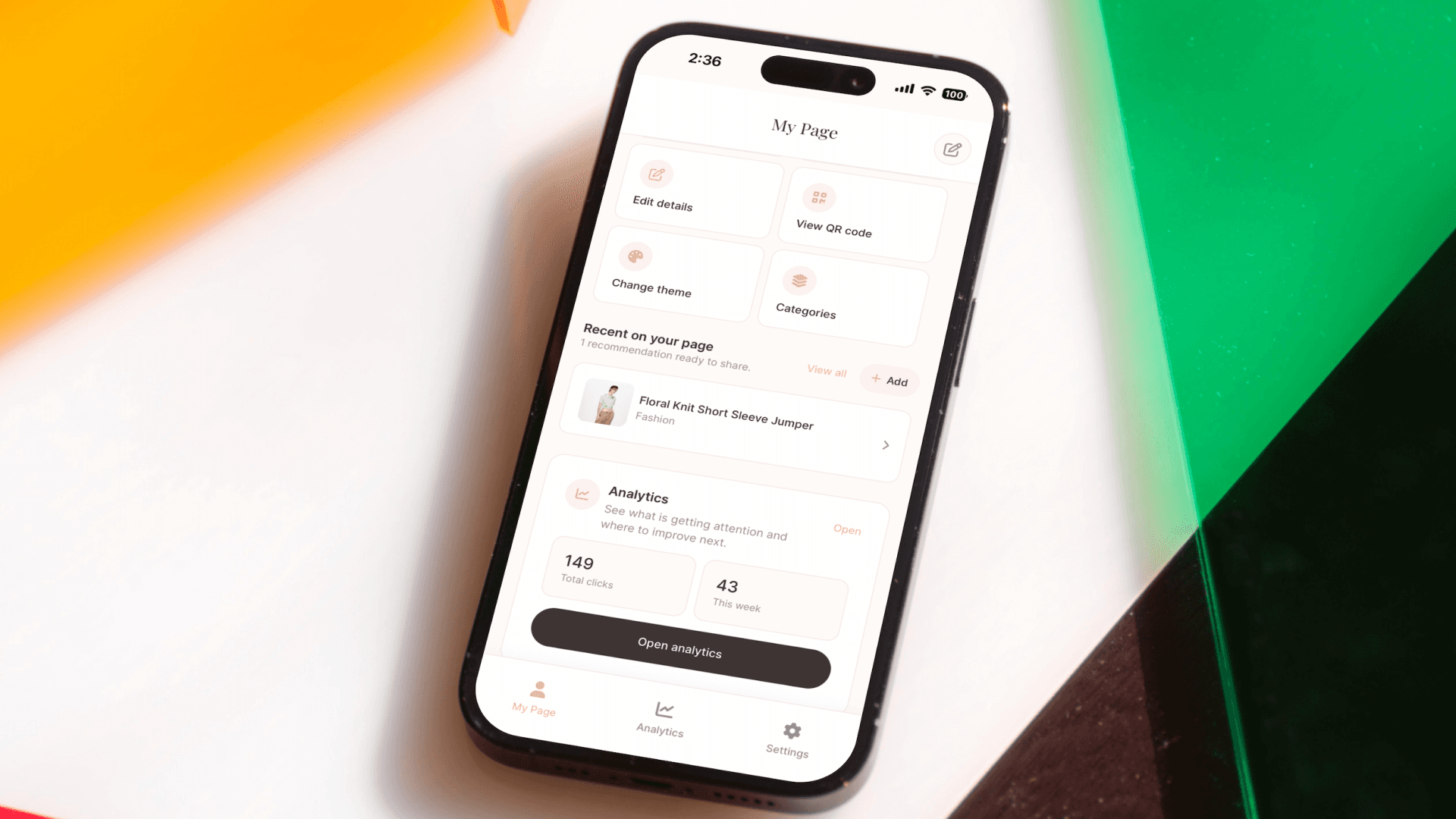
Lunera is useful for artists who want their bio link to feel like a small portfolio instead of a directory. From the iOS app, you can:
- Add visual product or project cards with photos.
- Organize links into categories like prints, commissions, releases, and portfolio.
- Choose from editorial themes, including free and premium options.
- Use your own affiliate, shop, marketplace, music, or portfolio links.
- See basic click analytics, with more analytics tools available on Pro.
That matters because artists usually need presentation and organization more than another plain list of buttons.
Artist link in bio checklist
Before you update your Instagram, TikTok, YouTube, or X profile, check this:
- Your best current work appears above the fold.
- A follower can buy, listen, or inquire within two taps.
- Commission information has a clear path.
- Your shop and portfolio are not fighting for the same button.
- Images match your actual work, not generic stock visuals.
- Your page has one primary call-to-action.
- Off-platform follow options are visible but not distracting.
FAQ: link in bio for artists
What is the best link in bio for artists?
The best link in bio for artists is one that shows the work visually, organizes shop and portfolio links clearly, and makes commissions or inquiries easy to understand. A generic list of buttons is usually not enough for visual work.
What should artists put in their Instagram bio link?
Artists should include featured work, shop links, commission information, portfolio links, and one way for fans or collectors to follow off-platform.
Do artists need a full website?
A website is useful for a complete portfolio, but a bio link is often the first page followers open from social media. Many artists use both: a lightweight bio link for quick action and a full site for deeper browsing.
How often should artists update their bio link?
Update it whenever your current priority changes: a print drop, new release, open commissions, exhibition, sale, or featured project.
Your bio link is the gallery space you can update in minutes. Put the right work on the wall.